


QuickBooks Enterprise Gold: Features, Pricing, and How to Choose

- By Jonathan Browns
- Oct 29, 2026
- Accounting
- 7 min read
QuickBooks Enterprise Gold is the desktop version of QuickBooks Enterprise with built-in payroll. As of October 2026, the single-user annual subscription is $2,210, and the plan supports up to 30 users. This guide will tell you what it includes, what it costs, how it compares to the other editions, and whether it’s the right one for your business. It can prove incredibly helpful to read it before you choose or buy a subscription.
QuickBooks Enterprise Gold at a Glance
If you want the short version before the details, then the following table summarises the plan. The prices are the Intuit list prices for a single user as reported by sellers in October 2026, so check the final price at checkout.
| Item | What you get with Gold |
| Product | QuickBooks Desktop Enterprise, Gold edition |
| Billing | Annual subscription, or monthly billing |
| Single-user price | $2,210 per year, or about $223 per month |
| Maximum users | Up to 30 |
| Payroll | Enhanced Payroll is included, with payroll billed per employee |
| Reporting | Advanced Reporting, with the standard Enterprise report library |
| Support and upkeep | Automatic upgrades, online backup, and access to U.S.-based support |
| Not included | Advanced Inventory, Advanced Pricing, Assisted Payroll, and QuickBooks Time Elite |
| Online access | Available through a separate hosting arrangement |
| Best fit | Growing companies that run their own payroll and do not need advanced warehouse tools |
What is QuickBooks Enterprise Gold?
QuickBooks Enterprise is Intuit’s desktop accounting software for larger and more complex businesses. It’s available in a range of editions built on the same platform: Silver is the base offering, Gold adds payroll, Platinum adds advanced inventory and pricing tools, and Diamond adds assisted payroll, time tracking, and a Salesforce connector. When people search for QuickBooks Desktop Enterprise Gold, they’re usually looking for the second step up on that ladder.
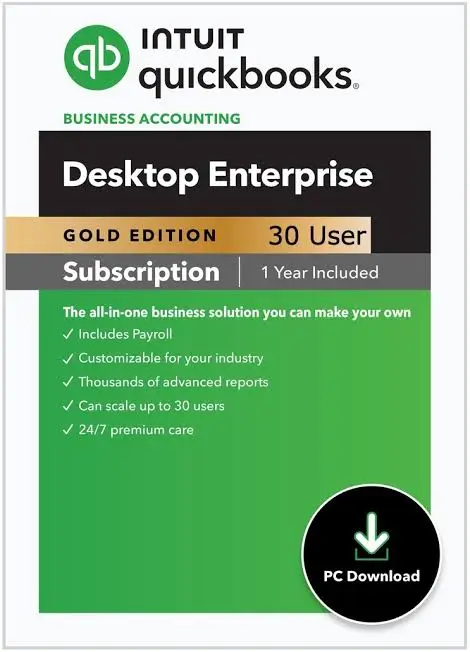
The software installs on your PC or a local server, and your team then connects to the same company file. It’s a subscription model rather than a one-off purchase, so you only have access whilst you’re paying for it.
It’s also worth knowing where Gold sits in Intuit’s product range. Intuit stopped selling QuickBooks Desktop Pro and Premier in 2026, so Enterprise is now the only Desktop product available for new purchase. Intuit Enterprise Suite and QuickBooks Online Advanced are separate browser-based products and are not the same as this plan. If you’re looking at the cloud vs. desktop options, then you need to be aware of that distinction as you read the rest of this guide.
Key Features You Get with the Gold Plan
Gold is everything in Silver plus payroll. The features listed below are the ones that matter in day-to-day use.
Enhanced Payroll
This is the fundamental difference. With Enhanced Payroll, you can pay your staff, calculate your payroll taxes, and produce your tax forms all within QuickBooks, rather than exporting your hours to a third party. It also supports direct deposit. The exact filing coverage will, of course, vary by state and by the payroll package you choose, so check the state specifics before relying on it. Intuit has also changed how payroll is charged, now described as a per-employee-per-month charge rather than a flat add-on. That will obviously affect your budget.
Advanced Reporting
Advanced Reporting allows you to build and tailor your reports to a degree that the standard Report Center simply can’t. You can filter, group, and format the data to answer questions like ‘which customers are our most profitable’ or ‘how is each job performing against its estimate’. A lot of teams will build these reports and then just re-run them every month.
Multi-user Access and Permissions
Gold supports up to 30 users at any one time, and you can assign custom roles and permissions. A bookkeeper can enter bills, a salesperson can create invoices, and an owner can see it all (with no one seeing anything they don’t need to see).
Large Lists and Everyday Capacity
Enterprise can cope with far, far larger lists than the Pro and Premier products could. Third-party guides quote a capacity of around one million list entries (to cover customers, vendors and items). That headroom is a huge reason why growing businesses move up.
Inventory Basics
You still get the purchase orders, item tracking, and the standard inventory reports in Gold. You don’t get the advanced tools for multiple locations, barcode scanning, and lot/serial tracking. Those are the Platinum features.
Backup, Upgrades, and Training
A Gold subscription is said to include online backup & recovery, automatic product upgrades, and on-demand training. Check with Intuit at the point of sale to confirm the current list, as the suite of services can vary from release to release.
How Much Does QuickBooks Enterprise Gold Cost?
Gold is priced by the number of users, and the price increased on 1st February 2026. The table below shows the annual list prices as recorded in the pricing guide on 19th October 2026. Treat these as a planning range, as Intuit sets the final price and some authorized resellers will occasionally offer a first-year discount.
| Users | Gold, billed annually |
| 1 | $2,210 |
| 2 | $3,221 |
| 3 | $3,902 |
| 4 | $4,579 |
| 5 | $5,507 |
| 10 | $8,525 |
| Up to 30 | $12,229 |
If you’d rather spread the cost over time, then monthly billing is available. One reseller listing shows $223 per month for a single user (i.e., $2,676 over 12 months). That’s more than the annual price, so monthly billing is the more flexible option, not the cheaper one.
What Changes Your Total
Several factors move the number you actually pay:
- User count: each additional user drives up the price (the amount the price goes up per user decreases as you add more users).
- Payroll: Enhanced Payroll is included in the plan; the per-employee payroll charge is based on how many people you pay per month.
- Hosting: The software runs on your own machines unless you choose to use hosting. One guide lists Gold with Intuit’s core hosting at $250 per month for one user (that’s the Enhanced Payroll package included).
- Add-ons: any optional services (e.g., additional training, data services, etc.) are sold separately.
- Renewal: subscription prices may change on renewal, so please check the renewal notice before it comes into effect.
A practical approach to planning is to work out how many people actually need to be in the file at any one time rather than how many people will ever open it. Concurrent use determines your license count, and you can save a fortune each year by reducing it.
QuickBooks Enterprise Gold vs Silver
The difference between the two editions is in the payroll. Silver gives you the core Enterprise platform (advanced reporting, large lists, multi-user, etc.). Gold gives you all of that plus Enhanced Payroll.
A single-user Silver subscription costs $1,873 per year, compared to $2,210 for Gold. The difference of about $337 is the cost of bringing payroll in-house (before any per-employee payroll cost).
Silver makes sense in a couple of situations. If you’re already using an external payroll provider or an external accountancy firm for payroll, you won’t need the inbuilt tool at all. If you’re a small team with very basic requirements, then the lower price may be the deciding factor. Gold is the option that makes sense if you want everything (payroll, accounting and reporting) in one place so that your wages post to your books without having to re-enter them.
One caveat, though. A number of the more recent guides will actually tell you to check that Silver is still available to new buyers, so it’s worth checking with Intuit or an authorized reseller before you go making any plans around it.
Read More:- QuickBooks Enterprise Latest Version
QuickBooks Enterprise Gold vs Platinum vs Diamond
Platinum and Diamond are the upgrade paths if Gold starts to feel a bit tight. The table looks at the three options on the criteria that most often drive the decision.
| Feature | Gold | Platinum | Diamond |
| Single-user price | $2,210 per year | $2,717 per year | $447 per month |
| Billing | Annual or monthly | Annual or monthly | Monthly only |
| Maximum users | 30 | 30 | 40 |
| Enhanced Payroll | Yes | Yes | Replaced by Assisted Payroll |
| Advanced Inventory | No | Yes | Yes |
| Advanced Pricing | No | Yes | Yes |
| Bill and purchase order approvals | No | Yes | Yes |
| Intercompany transactions | No | Yes | Yes |
| Intercompany transactions | No | Yes | Yes |
| QuickBooks Time Elite | No | No | Yes |
| Salesforce connector | No | No | Yes |
When to Step Up to Platinum
Platinum is worth considering if you have stock in multiple locations, do barcode scanning, use rules that automatically set prices, and require approvals before bills and purchase orders go out. It’s also useful if you have multiple legal entities and you need the transactions between them to be properly recorded. The single user price is circa $507 more than Gold, so the question is whether the time saved on inventory and pricing is worth that.
When to Step Up to Diamond
Diamond supports larger teams. It increases the user limit to 40, replaces Enhanced Payroll with Assisted Payroll, and includes time tracking and a Salesforce connector. It’s billed monthly, so it’s the ideal solution for businesses that want a single, full-featured subscription and are happy to pay a monthly recurring fee.
The Practical Rule
Stay on Gold if all you really need from the product is payroll. Move up to Platinum if you’re finding inventory and/or pricing complexity is getting in the way. Consider Diamond only when headcount, time tracking, or CRM integration take you beyond what Platinum can provide.
Using QuickBooks Enterprise Gold online
People will invariably be looking for an online version of this, so it’s worth being very clear. QB Enterprise Gold is desktop software. It is not a browser-based product like QB Online. You can, of course, access it from virtually anywhere by running it on a hosted server.
With the software hosted and your company file on a secure server, your team can log in remotely from their computer, laptop, or tablet. This gives you three real advantages: your team can work from different offices and from home; someone else handles backups and server maintenance; and you no longer need a powerful local machine just to share the file.
Hosting is an additional cost. Intuit provides its own hosting, and third-party providers also offer it, so you need to compare what the packages include before you decide. Storage limits, what other applications you can run in the hosted environment, how the backups are handled, and whether or not payroll is included in the price are all things you’ll want to take into account.
If you’re after a fully browser-based solution, QuickBooks Online Advanced or Intuit Enterprise Suite would probably be the better option. They’re quite different from Gold in terms of the features they provide, the way they’re priced, and the reporting they provide. Moving from one to the other isn’t something you can do on the hoof. For a business that’s already used to the desktop version, hosting will generally provide remote access with far less disruption than a full migration.
Learn More:- QuickBooks Enterprise for Bookkeepers
Support and Training for the Gold Plan
Support is one reason so many businesses choose the Enterprise subscription over the old desktop products. The Gold listing as published includes U.S. based customer service reps, a priority support service (available 24/7), online data backup and recovery, and on-demand online training. Intuit will of course be altering the levels of support over time, so you should check what’s actually available under your subscription via your Intuit account before you rely on any particular hours or response times.
Where Can You Get Help with QuickBooks Enterprise?
You have several routes, and the right one depends on the problem:
- Intuit support: Sign in to your Intuit account and then use the Help menu in QuickBooks to raise a support request for any software, subscription, or payroll-related queries.
- Authorized resellers and ProAdvisors: A QuickBooks ProAdvisor or reseller can help with the setup, data cleansing, and customization (areas that Intuit support may not be able to get into as deeply).
- Intuit Community: other users and Intuit staff will be able to answer your questions, and the archive is useful for common errors.
- Your hosting provider. If your company file is hosted, then access and server issues go to the host first.
Training Your Team
A much simpler payroll workflow is achieved if everyone learns it in the same way. Take the on-demand training that’s included as part of your subscription to get the basics, then set aside an hour of your own time to walk through your own payroll cycle so that everyone knows who approves the hours, who runs the payroll, and who then reviews the reports.
Is QuickBooks Enterprise Gold Right for Your Business?
The best way to approach it is to start with your own workflow rather than the feature list. Answer the questions below, and your answers will almost certainly point you to the right edition.
- Do you run your own payroll? If so, then Gold is the sensible baseline. If you have an external provider, then Silver may be quite sufficient.
- How many people use the file at any one time? 30 is the Gold level. Anything above that is Diamond.
- Do you have inventory across several locations, or do you barcode scan? If so, Platinum’s advanced inventory tools are definitely worth a look.
- Do your customers have special pricing or contract rates? Advanced Pricing in Platinum will cater to that.
- Do you need approvals before bills and purchase orders are paid? That’s also a Platinum feature.
- Do your people need to work remotely? You could go the hosting route, or you could go the browser-based route.
Examples by Business Type
- A contractor or small services company (8 to 15 people) is the type of customer Gold is ideally suited to. They’ll need job-level reporting and payroll in one file, but won’t necessarily need warehouse tools.
- A wholesaler/distributor with several storage locations will outgrow Gold quickly, since stock accuracy and price rules are so fundamental to their margins. Platinum is the better option in that situation.
- A general mid-sized non-profit or professional services firm with a fairly straightforward purchasing setup will get the full value from Gold (especially where custom permissions are used to limit access to sensitive payroll data to just a small group of people).
A company with multiple entities moving funds between them should look at Platinum for intercompany functionality rather than trying to use Gold.
If your answers are mixed, then start with Gold and come back to that choice at renewal. Paying only for the tools that your team will actually open is a sensible starting point.
Read More:- QuickBooks Enterprise Remote Access
How to Get Started with QuickBooks Enterprise Gold
The steps below are the standard Intuit flow. Menu names may vary slightly from release to release, so use them as a guide rather than a script.
- Choose your subscription: Work out how many users you need and whether you want annual or monthly billing, and then go ahead and buy via Intuit or an authorized reseller.
- Sign in to your Intuit account (using the account that is linked to your subscription so that your license and downloads are all in one place).
- Download and install the software: Install QuickBooks Desktop Enterprise on the computer or server that will host the company file, and enter your license and product numbers when prompted.
- Open or create your company file: Go to the File menu and select Open or Restore Company. If you’re moving from an older version of QuickBooks, it will offer to upgrade the file. Make a backup first.
- Back up before making any changes: Go to File > Back Up Company > Create Local Backup and save the backup to somewhere other than the main drive.
- Set up users and permissions: Go to Company > Set up users and passwords > Set up users. Assign each user a role so payroll and bank details are visible only to the appropriate people.
- Switch on multi-user mode: From the File menu on the computer that has the file, select ‘Switch to Multi-user Mode’ and have your team then open it from their own workstations.
- Activate Enhanced Payroll: Navigate to Employees, select My Payroll Service, and follow the prompts to activate it. Run the Payroll Setup interview to enter the employee details, pay schedules, tax information, and deductions.
- Run a test payroll: Use the Payroll Center to enter hours for one pay period, check the paychecks and tax amounts, and compare them with your last payroll before paying anyone.
- Look at your reports: Go into the Reports menu, remember the reports you use most, and pass them on to the people who need them monthly.
A Few Setup Tips
Take your time with the payroll interview. It’s far easier to correct any errors in your tax setup or year-to-date amounts before the first live run than it is afterward. If you’re starting partway through the year, be sure to enter your prior payroll history so that your quarterly and annual forms come out correct. If at any stage you’re not sure about anything, then a ProAdvisor can have a quick look at your setup.
Keeping Your Gold Subscription Running Well
A good setup stays good only if you keep it. These habits take virtually no time and prevent most issues that end up in support.
- Install the updates as soon as possible (they’re part of the subscription). The tax tables for payroll must be up to date. Check the Help menu for updates before each payroll run.
- Back up on a schedule. Have at least one backup off the main machine and do a test restore once every quarter to ensure it actually works.
- Review user permissions twice a year. People change roles and people leave. Strip out any access that is no longer required and keep payroll visibility very narrow.
- Reconcile your bank and credit card accounts monthly. Clean books make payroll liabilities and year-end filing much easier.
- Watch your renewal. Check the notice a month in advance to confirm your user count still matches your team and whether your edition is still appropriate.
- Keep the file in good health. Run the Verify Data utility from the File menu from time to time and only rebuild when that tells you there’s a problem.
Finally, do a short written record of who owns what: who approves the hours, who does the payroll, who files the forms, and who reviews the reports. Once the ownership is clear, the software will work much more smoothly, and your team will spend far less time in the quagmire of avoidable errors.
Final Thoughts
QuickBooks Enterprise Gold is a good fit for growing businesses that need dependable desktop accounting, advanced reporting, multi-user access, and built-in payroll without paying for features they may not need. With support for up to 30 users, it can serve contractors, service companies, nonprofits, and other mid-sized businesses that want accounting and payroll managed in one place.
At $2,210 per year for a single user, Gold is a major investment, so plan your budget beyond the base subscription. Include per-employee payroll charges, additional users, hosting, and possible renewal increases. If your business uses an external payroll provider, Silver may be enough if it is available to new buyers. If you need advanced inventory management, automated pricing, or intercompany transactions, Platinum is probably the better fit. Diamond makes more sense if you need assisted payroll, time tracking, or support for a larger team.
Ultimately, the right edition depends on your current workflows, growth plans, and budget. Compare the total cost of ownership, confirm the latest pricing and included services with Intuit or an authorized reseller, and choose the plan that addresses your business’s actual needs. If Gold meets your needs today, you can reassess at renewal instead of paying upfront for capabilities you may never use.
For better assistance, you can connect with a QuickBooks expert at Call Us : +1-866-408-0444 and gain personalized advice or answers to your queries.
Frequently Asked Questions
How much does QuickBooks Enterprise Gold cost?
As of October 2026, a single-user Gold subscription is $2,210/year, or about $223/month. It increases with each additional user (up to about $12,229/year for 30 users). Enhanced Payroll is billed per employee, and hosting is a separate cost. Budget around the total rather than just the base subscription. Some authorized resellers will offer a discount on the first year, so it’s worth comparing quotes. Since Intuit can change the price at renewal, it’s always worth checking the current price before you buy.
What is the difference between Gold and Silver?
Gold contains everything in Silver plus Enhanced Payroll (which allows you to pay your staff, calculate your payroll taxes, and prepare your forms all within QuickBooks). Both versions are built on the Enterprise platform, so they both have the full range of Enterprise features (advanced reporting, large lists, multi-user, etc.). Silver is for businesses that use an external payroll provider; Gold is for those who want payroll and accounting in one file. The price difference for one user is approximately $337 per year. As availability is subject to change, be sure to check with Intuit that Silver is actually available before planning around it.
How does Gold compare with Platinum?
Platinum encompasses everything in Gold and adds Advanced Inventory, Advanced Pricing, bill and purchase order approval workflows, and intercompany transactions. It’s the edition you’d go for if you have multiple stock locations, barcode scanning, automatic price rules, or several related entities. The single user list price is $2,717 per year (some $507 more than Gold). If you don’t need any of those extra features, Gold will cover your accounting and payroll at a lower price, and you can always move back to Platinum at renewal.
How does Gold compare with Diamond?
Diamond contains everything in Platinum and adds Assisted Payroll, QuickBooks Time Elite, a Salesforce connector option, and support for up to 40 users. It’s billed monthly only with a single user list price of $447/month. Gold supports up to 30 users and includes Enhanced Payroll (but no advanced inventory tools). You’d go for Diamond if you need the higher user limit, QuickBooks assisted payroll, or the built-in time tracking. Otherwise, Gold or Platinum is often the more cost-effective option.
Can I use QuickBooks Enterprise Gold online?
QuickBooks Enterprise Gold is desktop software, but you can use it online through a hosting arrangement. The software and company file run on a secure server, and your team can log in remotely from any approved device. Hosting is an additional monthly charge, and one guide lists Gold with Intuit’s core hosting at $250 per month for one user. If you’re after a completely browser-based product, then you’d look at QuickBooks Online Advanced or Intuit Enterprise Suite (which work in a completely different way).
Is QuickBooks Enterprise Gold a one-time purchase?
No. QuickBooks Enterprise Gold is sold only as a subscription, billed annually or monthly. Your software, upgrades, and included services continue while the subscription stays active. If it lapses, access is suspended until you renew, although you should keep your own backups of the company file so your records remain safe. Intuit can adjust renewal pricing, so review the renewal notice each year, confirm your user count, and decide whether Gold is still the right edition for your needs.
How many users does Gold support, and where can I get help?
Gold supports up to 30 users who can work in the same company file at the same time, with roles and permissions set for each person. Having clear user roles also makes support calls faster. For help, you can contact Intuit support from your account, work with an authorized reseller or QuickBooks ProAdvisor, use the Intuit Community, or call your hosting provider if the file is hosted. Check your account for the current support hours and services included with your subscription.
About The Author

Jonathan Browns
Jonathan Brown is a trained QuickBooks professional with 10 years of experience in the accounting sector. Moreover, he is passionate about helping businesses reduce the stress of managing accounts. Also, he is proficient in assisting entrepreneurs and small business owners to use QuickBooks and enhance their accounting experience.
Recent Posts
-
QuickBooks Enterprise Gold: Features, Pricing, and How to Choose
-
How to Customize & Download QuickBooks Online Invoice Template
-
How to Export Chart of Accounts in QuickBooks Desktop & Online?
-
How to Delete Invoice in QuickBooks Online (Step-by-Step Guide)
-
How to Fix QuickBooks Error 6000 83: Step-by-Step Guide