


QuickBooks Online Payroll Subscription: Key Features & Pricing

- By Jonathan Browns
- May 26, 2026
- Accounting
- QuickBooks Online
- 7 min read
Intuit offers QuickBooks Online Payroll Subscription to provide small businesses with smarter and more automated payroll experience. You can utilize it to pay employees on time, handle tax calculations, and ensure compliance.
Let us go through QuickBooks payroll subscription for online, key features, and pricing considerations. We will also discuss how to choose the perfect plan for your business requirements.
What is QuickBooks Online Payroll?
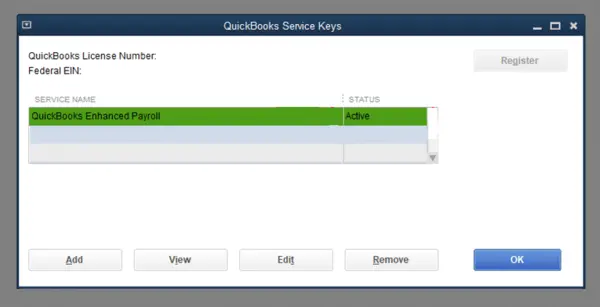
Intuit offers QuickBooks Online Payroll, which is a cloud-based payroll management solution. It simplifies payroll processing and is a great option if you want automated salary payments, tax calculations, and direct deposits.
It integrates easily and quite well with QuickBooks Online, which businesses use for maintaining their books and tracking expenses and income.
Why Small Businesses Prefer QuickBooks Payroll Subscription for Online
QuickBooks Payroll Subscription for Online comes with added benefits and is fast, reliable, and scalable. It has several advantages that make it a preferred option among small businesses and entrepreneurs.
Seamless Integration with Accounting
QuickBooks Online Payroll fully integrates with QuickBooks Online. As a result, your payroll data syncs with your books. This helps you greatly when it comes to reconciliation and financial reporting.
Automated Payroll Processing
Bookkeeping and accounting can and do take a lot of your time away from core business operations. In such a scenario, it helps when QBO Payroll offers automated payroll calculations.
This includes employee wages, bonuses, overtime, deductions, and payroll taxes. Moreover, automation reduces human errors and adds to the accuracy of your books.
Same-Day Direct Deposit
For faster employee payments, which is the norm today, you do need same-day or next-day direct deposit. QuickBooks Online Payroll Subscription does offer you same-day or next-day direct deposit, depending on the plan you opt for.
Automatic Tax Filing
Payroll taxes are complicated, especially when the business is growing, and a new employee is onboarded to the company payroll. QBO Payroll automates tax calculation and filing. This helps you avoid noncompliance and penalties.
Employee Self-Service Portal
QuickBooks Online Payroll comes with a self-service portal. Thus, the employees can access pay stubs, download W-2 forms, view payroll history, and manage personal information. This contributes to employee convenience and reduces HR workload.
QuickBooks Online Payroll Subscription Price for Different Plans
There are multiple QuickBooks Online Payroll Subscription plans you can choose from, each with different features and pricing.
Core Payroll Plan
For startups and small businesses that need essential payroll functionality, Core Payroll is ideal.
You get:
- Direct deposit
- Employee portal
- Payroll reporting
- Full-service payroll
- Automatic payroll tax calculations
Base fee: $45/month
Per employee fee: $5/month
Premium Payroll Plan
In the Premium payroll plan, you get everything in the Core payroll plan, plus advanced HR and time-tracking features.
Here are the additional features in the Premium payroll plan:
- Same-day direct deposit
- Expert HR support
- Time tracking integration
- Workforce management tools
Base fee: $75/month
Per employee fee: $8/month
Elite Payroll Plan
If you need premium payroll support and advanced services, the Elite Payroll Plan is the best fit for you.
Here are the advanced features you avail in the Elite payroll plan:
- Personalized setup assistance
- Tax penalty protection
- Dedicated payroll specialists
- Advanced HR advisory support
Base fee: $125/month
Per employee fee: $10/month
This subscription is great for businesses that require hands-on payroll assistance and enhanced compliance protection.
Key Features That Make QuickBooks Payroll Stand Out
While QuickBooks Online Payroll Subscription offers many features, some key ones really stand out.
Time Tracking Integration
Businesses no longer need to enter data manually. Businesses can integrate employee time tracking directly into payroll processing. This reduces errors in employee compensation by far.
Automated Tax Accuracy
One of the biggest burdens for employers is Payroll tax compliance. However, QuickBooks Payroll takes care of this by automating tax filing and calculations.
Businesses can avoid late fees, stay compliant, and reduce accounting stress.
Mobile Accessibility
QBO Payroll is cloud-based, and employers can manage their payroll from anywhere and on any device, including laptops, smartphones, or tablets. Thus, if you have a remote team or you work from home or diverse locations, QBO Payroll offers you the accessibility you need.
Contractor Payments
Small businesses seeking to work with freelancers and independent professionals should opt for a payroll service that supports contractor payments. QuickBooks Online Payroll offers you Contractor Payments.
What Benefits Do Growing Teams Get When They Opt for QBO Payroll?
QBO Payroll provides businesses with big-business benefits on small-business budgets. You can attract and retain top talent with:
Health Benefits
QB has partnered with Allstate Health Solutions, which allows you to offer medical, dental, and vision insurance in the US.
HR Advisor
Payroll Premium allows you to access HR resources, while Payroll Elite enables you to speak with HR advisors.
Workers’ Comp
You can save money and get coverage for job injuries by finding the right policy with Next Insurance.
24/7 Expert Support
QuickBooks Online Payroll Subscription provides troubleshooting assistance and helpful resources.
401(k) Plans
You get affordable retirement plans through QuickBooks Payroll synced Guideline.
Who Should Use QuickBooks Online Payroll?
QuickBooks Online Payroll is suitable for small business owners, startups, freelancers with contractors, and retail businesses. It is also great for service-based companies, accounting firms, and growing enterprises.
Challenges Businesses Face Without Payroll Software
If you still rely on spreadsheets or manual payroll calculations, you can experience:
- Payroll errors
- Compliance risks
- Increased administrative workload
- Delayed payments
- Tax miscalculations
QuickBooks Online Payroll offers automation and centralized Payroll management that helps eliminate these.
How to Choose the Right QuickBooks Online Payroll Subscription
Choosing a payroll plan is a crucial step. When you choose from available QuickBooks Online Payroll subscription plans, you should consider some key points.
- What are your HR requirements?
In case you need employee onboarding, time tracking, or HR compliance support, you might require Premium or Elite plans.
- What is your budget?
If you want to spend less earlier, you can begin with Core and expand later.
- How many employees are you going to manage in your payroll?
Larger teams tend to need advanced payroll automation and HR support.
- What level of tax complexity do you require?
If you operate across multiple states, you might benefit more from higher-tier plans.
Summing Up
With automation, compliance tools, and strong accounting integration, QBO Payroll is one of the most popular Payroll solutions in the US. We discussed what the different QuickBooks Online Payroll Subscription plans offer and how much they cost. This should equip you to find the right payroll solution for your business and get started right away.
Frequently Asked Questions
What are the benefits of choosing a subscription-based model?
Compared to what a traditional payroll system offered, a subscription-based model comes with additional long-term benefits. It offers predictable monthly costs so that businesses can budget payroll software expenses properly. Moreover, it comes with automatic updates.
How much is a QuickBooks Online payroll subscription?
QuickBooks Online Payroll price can range from $45 to $125, depending on the plan you choose. However, that is the cost of the base plan. Intuit charges you $5 to $8 per employee, depending on whether you subscribed to Core payroll, Premium payroll, or Elite payroll.
Can I subscribe to QuickBooks Payroll only?
Yes, it is possible to subscribe to only QuickBooks Payroll without subscribing to QuickBooks Online. Intuit offers standalone plans for QBO Payroll, namely Core, Premium, and Elite. You can choose from them.
Is payroll included with QuickBooks Online?
Payroll is not automatically added to the base price of QuickBooks Online. QBO Payroll is an add-on service that you need to subscribe to separately.
About The Author

Jonathan Browns
Jonathan Brown is a trained QuickBooks professional with 10 years of experience in the accounting sector. Moreover, he is passionate about helping businesses reduce the stress of managing accounts. Also, he is proficient in assisting entrepreneurs and small business owners to use QuickBooks and enhance their accounting experience.
Recent Posts
-
QuickBooks Error QBW32.exe: Fixing Fatal Application Exit
-
How to Fix QuickBooks Error 1603 During Installation or Updates
-
How to Fix QuickBooks Error 248 With Expert Tips? [Complete Guide]
-
QuickBooks Banking Error 350: Effective Solutions for Online & Desktop
-
How to Fix QuickBooks Missing PDF Component Error