


QuickBooks Online Essentials: The Complete Guide

- By Jonathan Browns
- Aug 19, 2026
- Bookkeeping
- 7 min read
If you are operating a small service business and are looking for accounting software that offers more than just basic invoicing, you have most likely come across QuickBooks Online Essentials. The following guide will show you precisely what the service is, how much it costs, who it is suitable for, and how it compares with QuickBooks Online Plus,
By the end of this article, you will be able to decide which of Simple Start, Essentials, and Plus is the right choice for your business before you decide to subscribe.
What is QuickBooks Online Essentials?
QuickBooks Online Essentials is the plan of medium standing within Intuit’s range of QuickBooks Online products, positioned between Simple Start and Plus; it is designed for small businesses that have moved beyond the use of bookkeeping for a single user and now need to handle bills, record time, and allow a number of team members or your accountant access to the accounts.
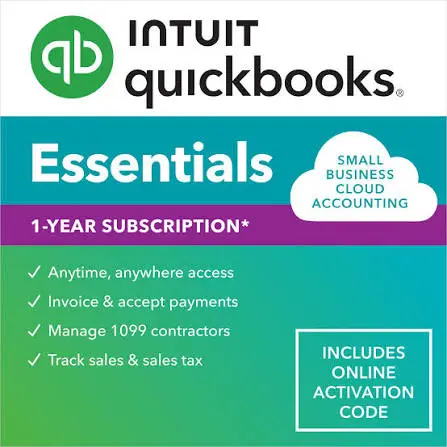
With Essentials, you get everything in Simple Start (income and expense tracking, invoicing, bank reconciliation, and basic reporting) plus three features Simple Start doesn’t offer: bill management (accounts payable), time tracking, and multi-user access for up to three people. If your business regularly pays vendors, tracks employee or contractor hours, or needs more than one person logged in, Essentials is usually the plan you land on.
Quick Overview Table on QuickBooks Online Essentials
The summary in the table below covers the aspects of QuickBooks Online Essentials discussed in this article.
| Best for | Small service businesses managing bills and multiple users |
| Users included | Up to 3 billable users, plus access for up to 2 accounting firms |
| Standard monthly price | $85/month (as of August 1, 2026 renewals; introductory discounts often available) |
| Bill pay/accounts payable | Yes — track, pay, and schedule vendor bills |
| Time tracking | Yes — enter hours yourself or let employees enter their own |
| Inventory tracking | Not included (available on Plus and higher) |
| Project profitability tracking | Not included (available on Plus and higher) |
| Class and location tracking | Not included (available on Plus and higher) |
| 1099 contractor prep and e-filing | Yes |
| Payroll | Available as a paid add-on (QuickBooks Workforce, formerly QuickBooks Payroll) |
| Mobile app access | Included at no extra cost |
| Chart of accounts limit | Up to 250 accounts |
It would be advisable to check the current rate on Intuit’s pricing page before making a decision, as pricing and included features are periodically subject to change.
Key Features of QuickBooks Online Essentials
Below is a detailed list of the key features of QuickBooks Online Essentials, each listed separately.
Accounts Payable and Bill Management
It is most common for businesses to move from Simple Start-up to Essentials due to this feature. With it, you can enter vendor invoices as they come in, organize payments, make several bills and vendor payments at the same time, and print or send checks directly via the app. You can also generate accounts payable aging reports so that you always know what you owe and when it is due.
Time Tracking
You can either enter your billable and non-billable hours yourself or provide your employees and contractors with their own login accounts so they can enter their working times. The system interfaces with the invoicing function, so the hours you record can be directly added to a client’s invoice, and it is also compatible with QuickBooks Time to offer more detailed scheduling and time-clock features.
Multi-User Access
Essentials permits up to three billable users to access the system at the same time, which is adequate for a small owner-operator team (for example, yourself, a bookkeeper, and an office manager) working on the accounts together. You can also connect up to two accounting firms, which allows your external CPA or bookkeeper to log in without having to use one of your user accounts. Access for each user can be restricted to specific features, which is useful if you want your bookkeeper to view reports but not banking details.
Income, Expenses, and Bank Connections
Just like with each QuickBooks Online plan, the Essentials plan connects with your bank and credit card accounts, automatically imports and sorts the transactions, and allows you to reconcile the accounts each month. You can create and send an unlimited number of invoices, accept payments online, and keep a record of sales tax.
Reporting
You have access to more than 40 standard reports, including profit and loss statements, balance sheets, and cash flow statements, and the Essentials package also includes a KPI scorecard together with ready-made dashboards for cash flow, P&L, and balance sheet health, enabling you to obtain an immediate understanding of the performance of your business without the need to create custom reports from scratch.
1099 Contractor Management
Essentials allows you to keep records of all the payments you make to independent contractors and lets you prepare and electronically file your 1099 forms directly from the software when it’s time to pay your taxes.
Built-In AI Assistance
Essentials includes Intuit Assist features that go beyond those available in Simple Start, such as AI assistance concerning payments and customer follow-up; for example, it learns your customers’ payment patterns and helps you prepare the right reminders so that you get paid more quickly.
Getting to Know QuickBooks Online Essentials Pricing
In August 2026, the standard list price for QuickBooks Online Essentials is $85 per month. Intuit often offers discounted rates for new subscribers; the discounts are usually about 50% off for the first three months, after which the subscription returns to the standard rate. There are a few points to bear in mind regarding the pricing:
No Setup Fees
- The only cost of signing up is the subscription.
- Discounts are frequently altered. The specific discount rate you receive can vary by signup channel and time of year, so you should always check the current offer on the pricing page before deciding to subscribe.
You Can Upgrade or Downgrade Later
- You can upgrade from Essentials to Plus (or downgrade to Simple Start) at any time; you are not committed to a particular plan.
- Extra charges apply to add-ons, and payroll, QuickBooks Payments processing, and premium support are billed separately from the basic subscription.
QuickBooks Online Essentials with Payroll
Payroll is not included in Essentials by default and must be added as a separate subscription; the product is now called QuickBooks Workforce (formerly QuickBooks Online Payroll). It is available in three tiers:
Core
This is the entry-level payroll offering, and it is the one that most Essentials users begin with; it includes full-service payroll with automatic tax calculations and filings, direct deposit, year-end tax forms, and an employee self-service portal.
Premium
Includes same-day direct deposit, time tracking, workers’ compensation administration, and access to HR support.
Elite
Includes a specialized payroll expert to handle the setup, provide protection against tax penalties, and offer personalized HR advisory support.
The amount charged at each level consists of a monthly fixed fee plus a fee per employee, so your total payroll expense will vary with the number of employees you have. Since payroll prices change more often than the main subscription price, you should check the current base and per-employee rates on Intuit’s payroll pricing page before you include the service in your account. The total cost of the Essentials plan, combined with payroll, is often considerably higher than the Essentials subscription alone.
QuickBooks Online Essentials vs. Plus: A Comparison
The choice between Essentials and Plus usually comes down to two questions: how many people need access, and do you sell physical products or manage projects with detailed profitability tracking?
| Essentials | Plus | |
| Users included | Up to 3 | Up to 5 |
| Bill pay and A/P | Yes | Yes |
| Time tracking | Yes | Yes |
| Inventory tracking | No | Yes |
| Purchase orders | No | Yes |
| Project profitability tracking | No | Yes |
| Class and location tracking | No | Yes (up to 40 combined) |
| Budgeting tools | No | Yes |
When Should You Choose Essentials?
Suppose you’re a service-based business (for instance, consulting, agencies, contractors, or professional services) and you need to pay bills and track time. Moreover, you might even need to share access with a few teammates or employees. However, you do not sell physical inventory or need to track profitability by project. If these are the cases, Essentials might be the perfect plan for you.
When Should You Choose Plus?
Say you sell products and are required to track inventory quantities and cost. Moreover, you run project-based work and need to see labor expenses and payroll costs for the project. You should consider the Plus subscription in that scenario. It will also allow you to tag transactions by location, department, or class and make reporting much more detailed.
How to Subscribe to QuickBooks Online Essentials
The following steps will show you how to subscribe to QuickBooks Online Essentials in no time.
- Open Intuit’s QBO pricing page.
- Choose the Essentials plan.
- Select from the options of a free trial or a running promotional discount.
- When asked, create your account using your business email and set a password. If you already have an Intuit account, you can use that instead.
- Go ahead and connect the bank and credit card accounts for your business to import transactions to QBO automatically.
- Invite additional users and add optional services like Payroll, QB Payments, and so on.
You can change or switch between QuickBooks Online plans or cancel your subscription anytime.
QuickBooks Online Essentials Login: Exact Steps
The subscription doesn’t change how you log into your QuickBooks Online.
- Navigate to the QuickBooks Online sign-in page.
- Type in the email address and password you selected when you created your account
Now, in the dashboard, you will see the option to invite additional users (the limit is 2 in Essentials). For that, go to user management settings and enter the email addresses. The users you invite will set their password and will be able to access only the information and areas you have given them permission to.
Moreover, you can log in to any web browser on any device, including the QBO mobile app on your phone. This doesn’t require you to pay an extra cost. However, report building and other comprehensive tasks might not be available in the mobile app.
Final Words
QuickBooks Online Essentials sits on a small sweet spot for small businesses. It can often be perfect for marketing agencies, consultants, contractors, professional practices, salons, and so on. You can see the need when your business has outgrown a single bookkeeper handling everything alone, but you don’t actually need inventory or detailed project costing and thus don’t want to spend on that.
For a true solo operator with simple requirements and no bills to manage or need for a second user, Simple Start saves money. If what you need is the ability to sell physical goods or track profitability project by project, you should consider paying that extra cost for Plus. Essentials covers everything in between, such as accounts payable and collaboration features that your growing small business might inadvertently need.
Frequently Asked Questions
What is QuickBooks Online Essentials?
QuickBooks Online Essentials is a mid-tier QBO plan. It offers more functionality than Simple Start, such as bill management, time tracking, and access for 2 additional users. The subscription is built for small businesses looking to manage vendor bills and collaborate with a bookkeeper or team.
What’s the difference between QuickBooks Online Essentials and Plus?
QuickBooks Online Plus is a higher-tier plan in comparison to QBO Essentials and covers everything that’s included in Essentials. In addition, you get inventory tracking, project profitability tracking, class and location tracking, and purchase orders. Moreover, instead of 3 allowed users in Essentials, Plus allows up to 5 users.
What is the cost of QuickBooks Online Essentials?
The standard price for QuickBooks Online Essentials is USD 85. However, this is often discounted at the beginning for a few months as part of an introductory campaign.
How many users can I add in my QuickBooks Online Essentials?
QuickBooks Online Essentials allows you to add a maximum of 3 users. Therefore, apart from yourself, you can add two additional users.
About The Author

Jonathan Browns
Jonathan Brown is a trained QuickBooks professional with 10 years of experience in the accounting sector. Moreover, he is passionate about helping businesses reduce the stress of managing accounts. Also, he is proficient in assisting entrepreneurs and small business owners to use QuickBooks and enhance their accounting experience.
Recent Posts
-
How to Fix QuickBooks Error 1603 During Installation or Updates
-
How to Fix QuickBooks Error 248 With Expert Tips? [Complete Guide]
-
QuickBooks Banking Error 350: Effective Solutions for Online & Desktop
-
How to Fix QuickBooks Missing PDF Component Error
-
QuickBooks Running Slow? Causes and Easy Fixes