


QuickBooks Online Forecasting Tool: Plan Cash Flow & Business Growth

- By Jonathan Browns
- Jul 16, 2026
- QuickBooks Online
- 7 min read
Whether you’re planning to hire employees, purchase inventory, launch new services, or prepare for seasonal demand, forecasting gives you the financial visibility that you need to make informed choices. Your business decisions become more effective when you back them with reliable financial projections instead of assumptions.
The QuickBooks Online Forecasting Tool allows you to estimate future financial performance using existing accounting data. Rather than relying on spreadsheets that require constant manual updates, QB automatically gets information from your books to create projections that evolve as your financial records change.
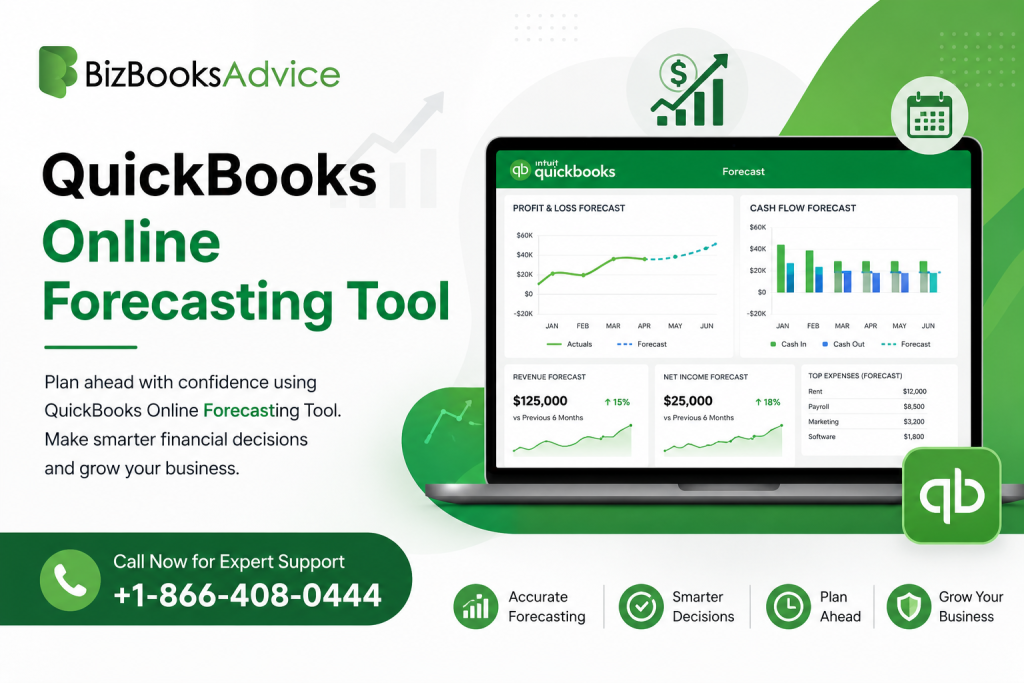
For growing businesses, forecasting isn’t just about predicting revenue. It helps you identify potential cash shortages, evaluate expansion plans, compare budgets against actual performance, and make confident financial decisions year-round.
A Quick Overview of QuickBooks Online Forecasting Tool
The table provides a condensed view of what we discuss in this article.
| Feature | Details |
| Tool | QuickBooks Online Forecasting Tool |
| Available In | Primarily QuickBooks Online Advanced (with advanced planning capabilities) |
| Primary Purpose | Forecast revenue, expenses, profitability, and cash flow |
| Data Source | Existing accounting transactions and financial records |
| Key Benefits | Better planning, budgeting, cash flow visibility, and financial decision-making |
| Best For | Growing businesses, finance teams, accountants, and business owners |
| Works With | Budgets, financial reports, cash flow insights, and business performance analysis |
What is the QuickBooks Online Forecasting Tool?
The QuickBooks Online Forecasting Tool helps businesses estimate future financial performance by using historical accounting data and current financial trends. Instead of manually creating projections from scratch, businesses can use existing bookkeeping information to generate meaningful forecasts that assist with short-term and long-term planning.
Forecasts are dynamic. As new invoices, expenses, payroll entries, and other transactions are recorded, your financial picture changes, making forecasts more relevant over time.
Unlike static spreadsheets, forecasting inside QuickBooks keeps planning closely connected to your actual business performance.
Why Forecasting Matters for Businesses?
Financial forecasting allows your business to prepare for challenges before they occur, rather than react after they happen.
It can help answer questions such as:
- Can my business afford to hire additional employees?
- Is inventory purchasing aligned with expected sales?
- Will available cash cover upcoming expenses?
- What happens if expenses increase faster than sales?
- How will seasonal fluctuations affect revenue?
- Is the current growth rate sustainable?
You can reduce financial uncertainty and improve strategic planning by answering these questions early,
Key Forecasting Features in QuickBooks Online
Depending on your QuickBooks Online subscription and connected financial planning capabilities, forecasting might include several advanced planning features.
Revenue Projections
Estimate future income using historical sales patterns, recurring revenue, customer activity, and expected growth trends.
This helps your business understand expected earnings over upcoming months or fiscal years.
Expense Forecasting
You can project future operating costs by analyzing recurring expenses such as:
- Payroll
- Rent
- Utilities
- Software subscriptions
- Inventory purchases
- Marketing costs
- Insurance
- Professional services
This provides greater visibility into upcoming financial obligations.
Cash Flow Forecasting
QuickBooks cash flow forecasting helps estimate when money is expected to enter and leave the business.
Rather than focusing solely on profitability, cash flow forecasting highlights liquidity, helping businesses prepare for periods when cash inflows may temporarily lag cash outflows.
Cash flow forecasting is especially valuable for your business if there is seasonal income or longer customer payment cycles.
Budget Comparison
Your business can compare projected figures with actual financial performance to evaluate:
- Revenue differences
- Expense variances
- Profit margins
- Department spending
- Operational efficiency
Regular comparisons make budgeting more accurate over time.
Scenario Planning
Businesses can face changing market conditions. Forecasting makes it easier to evaluate different scenarios, including:
- Increased sales growth
- Reduced customer demand
- Rising operational costs
- New product launches
- Business expansion
- Hiring additional staff
Testing these various assumptions will help you reduce financial risk before making major decisions.
QB Online Advanced Forecasting Capabilities
QB Online Advanced comes with enhanced financial planning tools designed for growing businesses with more complex reporting and forecasting needs.
These capabilities include:
- More advanced financial reporting
- Custom performance tracking
- Enhanced budgeting
- Improved collaboration across finance teams
- Better business insights
- Greater visibility into financial trends
If you are business managing multiple departments or planning long-term growth, these additional capabilities simplify forecasting while providing more detailed financial analysis.
How to Create a Forecast in QuickBooks Online: Detailed Steps
If your QBO subscription includes forecasting functionality or integrated planning features, the general process is straightforward.
Step 1: Keep Financial Records Updated
Forecast accuracy depends on complete accounting records. Therefore, you need to make sure of the following:
- Income is recorded correctly.
- Expenses are categorized consistently.
- Bank transactions are reconciled.
- Outstanding invoices are current.
- Bills are entered on time.
Step 2: Review Historical Performance
You should analyze previous financial periods to identify:
- Sales trends
- Seasonal fluctuations
- Customer purchasing behavior
- Expense growth
- Profit margins
Historical data is what forms the foundation for reliable forecasting.
Step 3: Create Budget Assumptions
Determine expected changes such as:
- Sales growth
- Pricing adjustments
- New employees
- Marketing investments
- Equipment purchases
- Inflation-related expenses
Reasonable assumptions will improve forecast accuracy.
Step 4: Generate the Forecast
Use your available forecasting tools to generate projected financial results based on your business assumptions and historical accounting data.
You need to review projected:
- Revenue
- Expenses
- Gross profit
- Net income
- Cash flow
Step 5: Compare Forecasts with Actual Results
Forecasting works best as an ongoing process rather than a one-time activity. Regularly compare projections against actual financial results. This helps you identify unexpected changes, update assumptions, and improve future forecasting accuracy.
QuickBooks Online Budgeting and Forecasting
Although budgeting and forecasting are closely related, they serve different purposes.
| Budgeting | Forecasting |
| Sets financial targets | Estimates future outcomes |
| Usually created annually | Updated regularly |
| Focuses on planned spending | Reflects changing business conditions |
| Measures performance against goals | Helps predict future performance |
Using both together provides a more complete picture of business financial health.
Budgets establish objectives, while forecasts indicate whether current performance is likely to achieve those objectives.
Benefits of Using QuickBooks Forecasting Tool
Businesses that use forecasting as part of their regular financial management often experience several operational advantages.
Better Cash Management
Forecasting helps identify future cash shortages before they become immediate problems. With this, you can prepare for:
- Vendor payments
- Payroll
- Tax obligations
- Equipment purchases
- Loan repayments
Smarter Growth Decisions
Expansion decisions become easier when you clearly understand future financial capacity. You can evaluate whether projected income is sufficient for:
- New locations
- Additional staff
- Product expansion
- Marketing investments
- Improved Financial Visibility
Instead of reviewing only past performance, forecasting provides insight into expected future business performance.
This enables proactive planning instead of reactive decision-making.
More Accurate Budget Planning
Forecasts continually refine budgeting assumptions by incorporating the latest financial activity.
This creates budgets that better reflect actual business conditions.
Increased Confidence During Planning
Business owners, finance teams, and stakeholders benefit from projections backed by real accounting data rather than manually generated estimates.
Best Practices for Accurate Forecasting You Can Adopt
Forecast quality depends on both reliable financial data and regular review.
Here are some best practices that you can adopt for improved performance:
- Keep bookkeeping current.
- Reconcile accounts regularly.
- Review forecasts monthly.
- Update assumptions when market conditions change.
- Separate one-time expenses from recurring costs.
- Consider seasonal business cycles.
- Monitor customer payment trends.
- Compare forecasts with actual financial results.
- Avoid unrealistic growth assumptions.
- Review major business changes immediately.
Forecasts become more valuable when they evolve alongside the business.
Common Forecasting Mistakes That You Must Avoid
Sophisticated forecasting tools also depend on realistic financial assumptions.
These are some common mistakes that you should make a point to avoid:
- Using incomplete accounting data
- Ignoring seasonal revenue patterns
- Overestimating sales growth
- Underestimating operating expenses
- Forgetting recurring subscriptions or fixed costs
- Never updating forecasts
- Relying solely on the previous year’s performance
- Making decisions without comparing actual results
Regular adjustments produce more reliable forecasts over time.
Who Should Use QuickBooks Online Forecasting?
The forecasting tool is valuable for businesses of various sizes, including:
- Small business owners
- Growing companies
- Service businesses
- Retail businesses
- Professional firms
- Construction businesses
- E-commerce companies
- Finance managers
- Accountants
- Business consultants
Any organization that plans future spending, hiring, or investments can benefit from financial forecasting.
Final Words
The QuickBooks Online Forecasting Tool helps businesses transform accounting data into forward-looking financial insights that improve planning and decision-making. By combining historical performance with current financial activity, you can estimate future revenue, expenses, and cash flow, and identify opportunities and potential risks before they affect operations.
When used consistently alongside budgeting and regular financial reviews, QuickBooks forecasting provides a clearer understanding of where the business is headed. Businesses using QuickBooks Online budgeting and forecasting, especially those on QB Online Advanced, can make more informed financial decisions, manage cash flow with greater confidence, and adjust plans as business conditions evolve.
Frequently Asked Questions
What is QuickBooks Online Forecasting Tool?
QuickBooks Online Forecasting Tool helps businesses estimate future financial performance by using historical accounting data and current financial information to project revenue, expenses, profitability, and cash flow.
Is forecasting available in every QuickBooks Online plan?
Forecasting capabilities vary depending on the QuickBooks Online subscription and any connected financial planning features. Advanced planning and reporting capabilities are generally associated with QB Online Advanced.
What is the difference between budgeting and forecasting in QuickBooks Online?
A budget establishes planned financial targets, whereas forecasts predict expected financial outcomes based on actual business performance and updated assumptions. Forecasts are reviewed and adjusted more frequently than budgets.
How often should I update my forecast?
Reviewing forecasts monthly is a practical approach for most businesses. Updating projections after significant changes in revenue, expenses, staffing, or market conditions helps maintain accuracy.
How does QuickBooks cash flow forecasting help businesses?
Cash flow forecasting estimates future cash inflows and outflows, helping businesses anticipate periods of lower liquidity, prepare for upcoming obligations, and make better decisions about spending, investments, and growth.
About The Author

Jonathan Browns
Jonathan Brown is a trained QuickBooks professional with 10 years of experience in the accounting sector. Moreover, he is passionate about helping businesses reduce the stress of managing accounts. Also, he is proficient in assisting entrepreneurs and small business owners to use QuickBooks and enhance their accounting experience.
Recent Posts
-
QuickBooks Enterprise Gold: Features, Pricing, and How to Choose
-
How to Customize & Download QuickBooks Online Invoice Template
-
How to Export Chart of Accounts in QuickBooks Desktop & Online?
-
How to Delete Invoice in QuickBooks Online (Step-by-Step Guide)
-
How to Fix QuickBooks Error 6000 83: Step-by-Step Guide