


Elevate Your Business Efficiency with QuickBooks Payroll Software

- By Jonathan Browns
- Feb 06, 2026
- Accounting
- 7 min read
Business owners often find the task of processing employees’ payroll a bit challenging and time-consuming. There comes a QuickBooks Payroll software which simplifies payroll processing by combining employee payments, tax calculations, filings, and compliance under one roof. Whether you are using QuickBooks Desktop or Online, you can access the payroll solution and get your employees paid on time.
This guide covers what QuickBooks Payroll software is all about, including features, compatibility, login access, and options for small businesses.
Facing issues while accessing the QuickBooks Payroll software to handle the complex payroll calculations? Our QB professionals are just a call away and ready to provide you with the best possible assistance.
What is QuickBooks Payroll Software?
QuickBooks Payroll is known to be an outstanding payroll solution that lets businesses:
- Pay employees and contractors accurately
- Compute the federal, state, and local payroll taxes
- Track wages, benefits, and deductions
- Stay compliant with the latest payroll laws
- Filing the payroll tax form accurately
- HR guidance, penalty protection, and employee self-service
However, the payroll software is compatible with QuickBooks Desktop, QuickBooks Online, QuickBooks Accountant, and for Mac.
What are the Major Benefits of Intuit QuickBooks Payroll Software?
By accessing the Intuit QuickBooks Payroll Software, it becomes easier to record the payments of your staff and help compute the payroll accurately. Furthermore, there are numerous other benefits that you can grab with the help of QuickBooks Payroll.
1. Saves time:-
Now, the time has gone when you had to manage the payroll manually, as it is handled by the QuickBooks payroll software. Using this application, you can keep track of leave taken, expenses, bonuses, holiday pay, and overtime. Moreover, you can also compute the hourly pay or salaries.
2. Simplify Payroll Compliance:-
At times, it gets a bit challenging for businesses to stay updated as per the latest payroll taxation policies. But now, with the help of payroll software with QuickBooks, you can stay updated with the latest tax table.
3. Improved Accuracy:-
Earlier, while processing the employees’ payroll, the users may make mistakes in manually computing the employees’ payroll. But with the upcoming release of this payroll software, you don’t have to worry about miscalculations. Thus, it ensures that the payroll is computed as per the latest tax table updates.
4. Enhance Employee Satisfaction:-
There are a few payroll software that give access to their employees to their own portal. As a result, it gives them restricted access to the system and allows them to check details, see their payment history, and even book time off.
5. Create Automatic Payslips
As per the latest laws, all employers have the option to give each employee a payslip with all the necessary details of their pay and deductions. Moreover, it’s essential to ensure that the payroll software helps you produce the payslips easily.
6. Organised Record Keeping:
Another great thing about the payroll software QuickBooks is that you can easily manage record keeping by handling year-end easily. You can access the features that include automatic tracking, recording, and reporting. As a result of using these features, it becomes easier to handle the employees’ payroll without taking so much stress.
7. Minimize the Payroll Errors:
As you all know, processing the employees’ payroll is a bit of a challenging task, and it comes with a lot of responsibility. But running the QuickBooks payroll software for small businesses helps in calculating the employees’ payroll easily and minimizes payroll errors.
Note: If you are a QuickBooks Online Payroll Software or QuickBooks Desktop Payroll software user, then here’s how to set up and use it for small businesses.
Exclusive Features of Payroll Software For Accountants
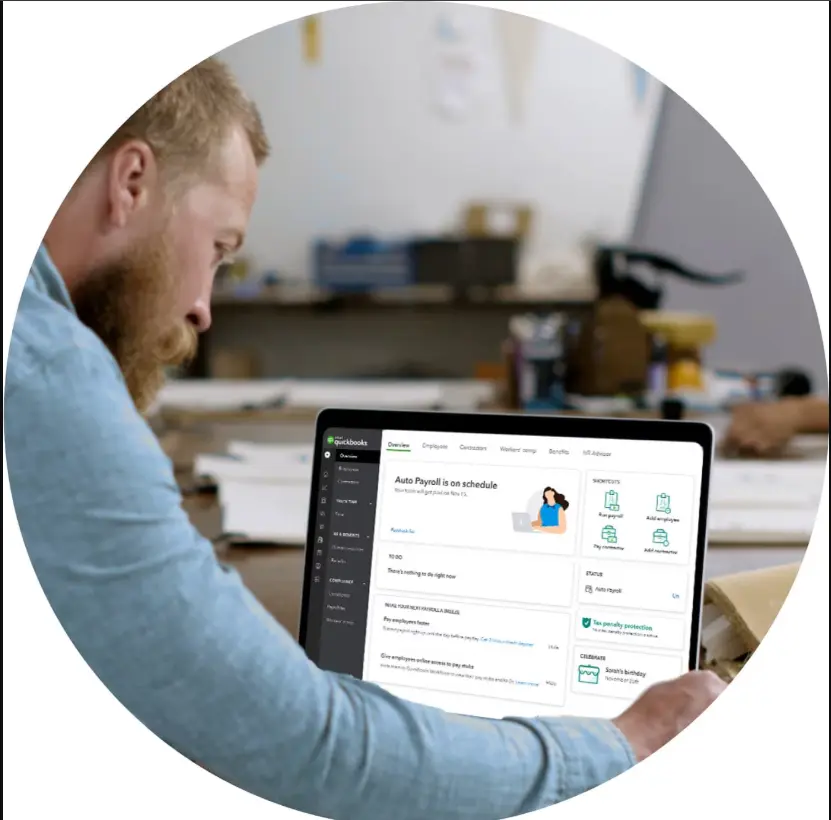
You can now make the payday stress-free with the help of tools like Auto Payroll and Automated tax forms and filings. No matter whether your clients run payroll on their own or want you to handle it on their own, QuickBooks Payroll Elite manages everything.
1. Tax penalty protection:
Now, you can access the tax penalty protection feature and get your filing errors resolved. Also, you can pay the penalties up to $25,000. Intuit works directly with the IRS to take care of all the payroll-related matters.
2. Same-day direct deposit
Using the same-day direct deposit, you can pay your employees on time without making any further delays. You can submit the payroll by 7 AM PT on the payday morning to have funds withdrawn on the same day.
3. Trusted time tracking
Also, you have the option to schedule the employees according to their shift or job and update hours in real time. The trusted time tracking feature will help in approving timesheets and running payroll from your mobile phone.
4. Personal HR advisor
The businesses can take professional assistance regarding the major HR issues, such as hiring, compliance, and performance.
5. Customized payroll setup
You can now complete your payroll-related tasks easily. Moreover, you can also save your precious time and get your payroll done and run smoothly with a white-glove setup and support from a QuickBooks Payroll expert.
6. 24/7 expert product support
If you get stuck while processing the employee’s payroll, you can get assistance with it. You can figure out features using the step-by-step instructions you get over the phone or by calling.
Pricing Structure of QuickBooks Payroll For Accountants
To get started with the Payroll for Accountants, have a look at the pricing plan given below.
| Payroll Core & Simple Start Pay your team and get basic accounting tools. | Payroll Core & Essentials Pay your team, track billable hours, and pay bills in one place. | Payroll Premium & Plus Pay your team, get HR & benefits, and track projects or products. |
| $44 monthly & Save 50% for 3 months + $6.50/employee per month | $62.50 monthly & Save 50% for 3 months + $6.50/employee per month | $101.50 monthly & Save 50% for 3 months + $10/employee per month |
| Intuit Assist | Intuit Assist | Intuit Assist |
| Payroll Agent Helps manage and run payroll and flags anomalies for review. | Payroll Agent Helps manage and run payroll and flags anomalies for review. | Payroll Agent Helps manage and run payroll and flags anomalies for review. |
| Take care of payday | Take care of payday | Take care of payday |
| Full Service Payroll Comprises of automated taxes and forms. | Full Service Payroll Comprises of automated taxes and forms. | Full Service Payroll Comprises of automated taxes and forms. |
| Auto Payroll | Auto Payroll | Auto Payroll |
| 1099 E-File & Pay | 1099 E-File & Pay | 1099 E-File & Pay |
| Expert Product support | Expert Product support | Expert Product support |
| Next-day direct deposit | Next-day direct deposit | Same-day direct deposit |
| Track time on the go | ||
| Expert Review | ||
| Take care of your team | Take care of your team | Take care of your team |
| Employee Portal | Employee Portal | Employee Portal |
| Health benefits for your team | Health benefits for your team | Health benefits for your team |
| 401 (k) plans | 401 (k) plans | 401 (k) plans |
| Worker’s comp Administration | Worker’s comp Administration | Worker’s comp Administration |
| Team management tools | Team management tools | Team management tools |
| Document uploading and sharing | Document uploading and sharing | Document uploading and sharing |
| Document e-signatures | ||
| Automated I-9 | ||
| HR Support Center | ||
| Take care of your books | Take care of your books | Take care of your books |
| Live Expert Assisted Try expert help Free for 30 days | Live Expert Assisted Try expert help Free for 30 days | Live Expert Assisted Try expert help Free for 30 days |
| Track Income & expenses | Track Income & expenses | Track Income & expenses |
| Capture & organize receipts | Capture & organize receipts | Capture & organize receipts |
| Maximize Tax deductions | Maximize Tax deductions | Maximize Tax deductions |
| Invoice & accept payments | Invoice & accept payments | Invoice & accept payments |
| Track miles | Track miles | Track miles |
| Run general reports | Run general reports | Run general reports |
| Send Estimates | Send Estimates | Send Estimates |
| Track sales & sales tax | Track sales & sales tax | Track sales & sales tax |
| Manage 1099 contractors | Manage 1099 contractors | Manage 1099 contractors |
| Connect 1 sales channel | Connect 3 sales channel | Connect all sales channel |
| Manage bills | Manage bills | |
| Enter time | Enter time | |
| Include 3 users | Include 5 users | |
| Intuit Assist | Intuit Assist | Intuit Assist |
| Smart Expense organization Boosts by efficiency by reviewing and organizing your transactions. | Smart Expense organization Boosts by efficiency by reviewing and organizing your transactions. | Smart Expense organization Boosts by efficiency by reviewing and organizing your transactions. |
| Accounting Agent Posts transactions quickly – with explanations and predictions. | Accounting Agent Posts transactions quickly – with explanations and predictions. | |
| Payments Agent Helps create tailored strategies to get you paid get faster. | Payments Agent Helps create tailored strategies to get you paid get faster. | |
| AI- powered reconciliation Identifies potential issues and suggests solutions. | ||
| Customer Agent Prioritizes leads from your inbox and personalizes email follow ups. | ||
| Sales Tax Agent Identifies potential issues and suggests fixes before you file. |
Note: QuickBooks software free download isn’t available. You can get a 30-day free trial, but for permanent use, you need to purchase its paid QuickBooks subscription.
QuickBooks Payroll Software For Mac
Herein, we have disclosed the features you can access with QuickBooks Payroll software for Mac.
What are the Features You Can Access With Payroll Software For Mac?
The QuickBooks Payroll focuses on the security features and uses multi-factor authentication to keep the data secure. Moreover, you can also get in control of finances using the robust reporting dashboards.
By running the Payroll for Mac software, users can access the following features.
1. Track Time & Create Schedules:
By running the QuickBooks payroll software, you can easily take care of multiple timesheets. Then, you can give the approval for the time once you are all set. Furthermore, you can modify, publish, and share schedules with your teams.
2. Payroll Support:
Another great feature is that you can get step-by-step instructions along with the troubleshooting methods to resolve the payroll-related issues.
3. Auto Payroll:
You can also make the necessary configurations and set payroll to run automatically. Moreover, you can also receive notifications to always stay in control.
4. Payroll Reports:
By running the QuickBooks Payroll feature, you can obtain real-time data from payroll tax liabilities to the total employee pay.
5. File Taxes:
The QuickBooks Payroll feature enables you to compute, file, and pay your payroll taxes on your behalf.
Pricing Plan
Herein, we have provided the pricing plan for purchasing the QuickBooks Payroll for Mac software.
| Payroll Core | Payroll Premium | Payroll Elite |
| $25 monthly +$6.50/employee | $44 monthly +$10/employee | $67 monthly +$12/employee |
| Take care of Payday | Take Care of Payday | Take Care of Payday |
| Full Service Payroll: It comprises of features like automated taxes and forms. | Full Service Payroll: It comprises of features like automated taxes and forms. | Full Service Payroll: It comprises of features like automated taxes and forms. |
| Auto Payroll | Auto Payroll | Auto Payroll |
| 1099 E-File & Pay | 1099 E-File & Pay | 1099 E-File & Pay |
| Next-Day Direct Deposit | Same day direct deposit | Same day direct deposit |
| Expert Product Support | 24/7 expert product support Expert Review | 24/7 expert product support Expert Setup Tax penalty protection Personal HR Advisor |
| Take Care of Your Team | Take Care of Your Team | Take Care of Your Team |
| Employee Portal | Employee Portal | Employee Portal |
| Health Benefits for your team | Health Benefits for your team | Health Benefits for your team |
| 401 (k) plans | 401 (k) plans | 401 (k) plans |
| Worker’s Comp Administration | Worker’s Comp Administration | Worker’s Comp Administration |
| HR Support Center | HR Support Center | |
| Track Your Team’s Time | Track Your Team’s Time | |
| Includes Time Elite: It comprises of features like track time and attendance. | Includes Time Elite: It comprises of features like track time and attendance. | |
| Mobile app with GPS | Mobile app with GPS | |
| See who’s working | See who’s working | |
| Geofencing | ||
| Project Management Tools |
Ending Words
QuickBooks Payroll software offers a complete payroll solution that helps the small businesses, accountants and enterprises in processing their employees payroll. We hope that this post have provided you relevant information to access this feature that may smoothens the workflow.
If you still need any help while processing the payroll, feel free to connect with our BizBooksAdvice professionals. Once you get in touch with them, they will help you in best possible manner.
Frequently Asked Questions (FAQ’s):-
Question 1: How do I connect to QuickBooks Payroll?
Ans. To connect to QuickBooks Payroll, click on the Gear icon and hit Payroll Settings. Choose the Integrations option and look for your payroll management system. Thereon, click the Add and then the Connect option. Later on, do as per the instructions on the screen to pick your organization and authorize data sharing.
Question 2: How to activate QuickBooks Payroll?
Ans. To activate the QuickBooks Payroll, hit the Settings menu and click Subscriptions & Billing. After this, search for the QuickBooks Payroll and then hit the Subscribe option.
Question 3: Does QuickBooks do payroll automatically?
Ans. The QuickBooks Online Payroll automatically makes the paychecks for the salaried and hourly paid team members. However, the auto payroll feature does well with direct deposit or paper checks.
Question 4: Where are payroll settings in QuickBooks?
Ans. To get the payroll settings in QuickBooks, launch your QuickBooks data file and log in as an admin. Thereon, hit the Edit menu and then click the Preferences tab. From the menu, hit the Payroll & Employees tab.
Question 5: How to setup QuickBooks for payroll?
Ans. For setting up QuickBooks for payroll, hit the Payroll option from the left menu. After this, pick the suitable plan according to your business. Later on, provide the business details along with the contact details.
About The Author

Jonathan Browns
Jonathan Brown is a trained QuickBooks professional with 10 years of experience in the accounting sector. Moreover, he is passionate about helping businesses reduce the stress of managing accounts. Also, he is proficient in assisting entrepreneurs and small business owners to use QuickBooks and enhance their accounting experience.
Recent Posts
-
9 DIY Troubleshooting Methods to Fix QuickBooks Error 15270
-
QuickBooks Data Conversion Services: Everything to Know
-
QuickBooks Point of Sale: Features, Setup, Pricing & Best Alternatives
-
QuickBooks Scheduled Backup Not Working: Common Causes & Easy Fixes
-
QuickBooks Credit Card Processing: How It Works, Fees & Benefits